How to Choose the Right Google Review Automation Tool (Without Wasting Money)
Most businesses don’t have a review problem — they have a system problem.
And that’s exactly why so many end up choosing the wrong Google review automation tool.
On the surface, most tools look the same:
- Send SMS or email
- Ask for a review
- Track responses

But in reality, the difference between a tool that works and one that doesn’t comes down to how it fits your workflow — not just what features it lists.
This guide will walk you through what actually matters when choosing a Google review automation tool, what to avoid, and how to make the right decision without wasting time or money.
Why Most Businesses Choose the Wrong Tool
Most buying decisions are made based on:
- Price
- Features
- What looks “easy”
But that’s where things go wrong.
The biggest mistakes:
- Choosing a tool that sends messages, but doesn’t follow up properly
- Ignoring timing and customer behaviour
- Using systems that quietly break Google’s review guidelines
- Picking tools that don’t integrate with how your business actually runs
The result?
👉 You still have to chase reviews manually
👉 Your response rate stays low
👉 And the tool becomes just another monthly cost
Most businesses think they need a better tool — but in reality, they need a better system first.
The 5 Things That Actually Matter
If you focus on these, you’ll avoid 90% of bad decisions.
1. Timing Automation (Not Just Sending Messages)
Sending a review request isn’t enough.
What matters is:
- When it’s sent
- What triggers it
- Whether it adapts to your workflow
A good system should:
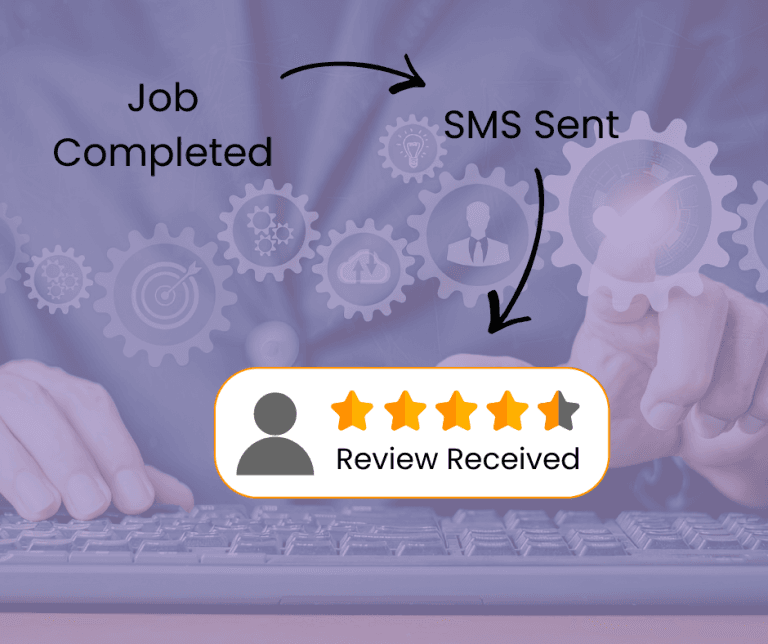
- Trigger automatically after a job is completed
- Hit the “moment of satisfaction”
- Avoid delays that kill response rates
2. Follow-Up Logic
Most reviews don’t come from the first message.
They come from:
👉 The second reminder
👉 Or even the third
Your tool should:
- Automatically follow up
- Stop when someone responds
- Space messages naturally
If it only sends one message, it’s not automation — it’s just a reminder tool.
3. Google-Compliant Flows
This is critical.
Some tools still:
- Filter customers before sending review links (review gating)
- Encourage only positive reviews
- Use language that breaks guidelines
This can:
- Get reviews removed
- Damage trust
- Hurt long-term rankings
A good tool should follow Google’s review policies and treat all customers equally.
4. Integration With Your Workflow
This is where most tools fail.
If your system doesn’t connect with:
- Your CRM
- Job management software
- Booking system
Then:
👉 You’ll end up doing manual work anyway
The best tools:
- Trigger automatically from real events (job complete, invoice sent, etc.)
- Fit into your existing process without friction
5. Reporting That Actually Matters
Most dashboards show:
- Messages sent
- Open rates
But that’s not what you care about.
You want:
- Reviews generated
- Conversion rate
- Trends over time
Because at the end of the day:
👉 Reviews = revenue
Red Flags to Avoid 🚩
These are signs you’re looking at the wrong tool:
❌ “Unlimited SMS blasts”
Mass messaging ≠ better results
This often leads to lower response rates and potential spam issues
❌ “Too cheap to be true”
If a tool is extremely cheap, it usually lacks:
- Automation logic
- Proper integrations
- Reliable delivery
❌ No follow-up system
If it only sends one request, it will underperform
❌ Review gating features
Anything that filters customers before asking for a review is risky
❌ Overly complex setup
If it’s hard to use, your team won’t use it consistently
DIY vs Tool vs Done-For-You
There are three main approaches:
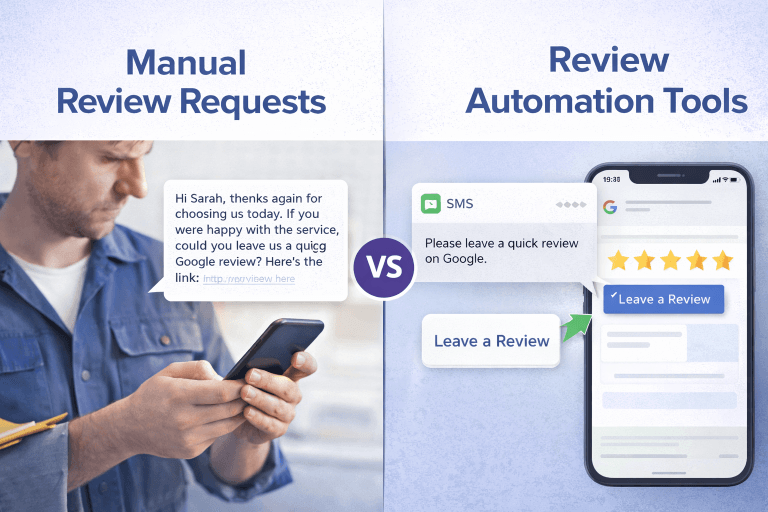
DIY (Manual Process)
- Lowest cost
- Most time-consuming
- Inconsistent results
Best for:
👉 Very small businesses just starting out
Automation Tool
- Moderate cost
- Scalable
- Requires setup
Best for:
👉 Businesses doing regular jobs and wanting consistent growth
Done-For-You System
- Higher cost
- Fully managed
- Optimised for performance
Best for:
👉 Businesses that want results without managing the system
What Should a Review Automation Tool Cost?
Most tools range between:
👉 $20 – $150 USD per month
But price alone doesn’t tell you much. Instead, think about it like this:
Cost Per Job Perspective
If:
- One job = $200–$2,000+
- A review helps convert future customers
Then:
👉 Even 1 extra job per month can cover the cost of most tools
Real ROI Thinking
Ask:
- Will this tool help me get more reviews consistently?
- Will those reviews improve my ranking and conversions?
If yes:
👉 The cost becomes irrelevant compared to the return
Features and Best Fit by Business Type
Different businesses need different setups – the following are some of the key decision points that are important to consider for different types of businesses.
Trades & Service Businesses
- Need simple, automated triggers
- SMS works best
Clinics & Appointment-Based Businesses
- Need integration with booking systems
- Timing and follow-up is critical for review requests
Agencies
- Need multi-location management
- Reporting matters more
Multi-Location Businesses
- Need consistency across locations
- Centralised control is key
A Simple Decision Framework
Before choosing a tool, ask:
- Does it automate timing based on real events?
- Does it follow up automatically?
- Is it compliant with Google’s guidelines?
- Does it integrate with how we already work?
- Will it actually increase reviews consistently?
If the answer is no to any of these:
👉 Keep looking
Already Have a System — Just Need the Right Tool?
If your process is mostly in place but you’re:
- Not getting consistent reviews
- Unsure which tool fits your workflow
- Or want to optimise what you already have
👉 The issue is usually how the tool is set up — not just which one you choose
Final Thoughts
Choosing the right Google review automation tool isn’t about features — it’s about fit and performance.
The best system is the one that:
- Runs in the background
- Requires minimal effort
- Consistently generates reviews
Because when your review system works:
👉 Rankings improve
👉 Trust increases
👉 And more customers choose you
You can read more about review automation here: The Complete Guide to Review Automation for Small Businesses (2025)
Frequently asked questions
What is a Google review automation tool?
A Google review automation tool helps businesses automatically request and collect customer reviews through SMS or email, based on triggers like completed jobs or appointments. An example includes: DIY Google Review App for Small Businesses
Are review automation tools allowed by Google?
Yes — as long as they follow Google’s guidelines and do not filter or manipulate who is asked for a review.
How much should I spend on review automation?
Most tools cost between $20–$150 USD per month. The real value should be measured based on ROI, not just price – ie: the costs of the tool vs the potential job profits you make from new jobs the review tool creates for you.
Do automated review requests work better than manual ones?
Yes. Automated systems are more consistent, timely, and scalable — leading to higher review rates over time.
What is the biggest mistake when choosing a review tool?
Focusing on features instead of how the tool fits your workflow and drives actual results.
Related Reads
- The Complete Guide to Review Automation for Small Businesses (2025)
- DIY vs Review Automation Tools: What Actually Works for Small Businesses
- Is Review Automation Worth It for Small Businesses? Costs, ROI & Realistic Expectations
- Review Request Automation: 5 Simple Systems Small Businesses Can Set Up Themselves