DIY vs Review Automation Tools: What Actually Works for Small Businesses
Running a small business often means juggling everything at once — jobs, customers, staff, marketing, and admin. Somewhere in the middle of that chaos, businesses are told they should also be collecting Google reviews consistently.
That’s where review automation tools come in.
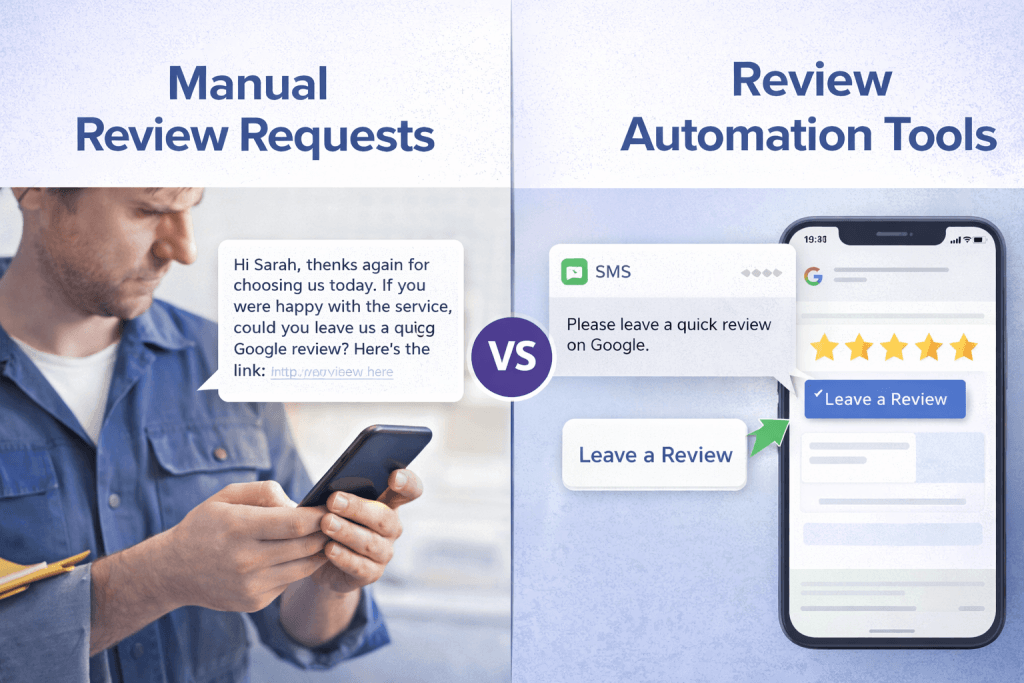
Most business owners know reviews matter for visibility on Google, but they are unsure what the right system actually looks like. Should you ask manually? Use scripts? Install software? Or invest in full automation platforms?
The problem is that most advice online either oversimplifies the process or pushes expensive platforms that small businesses rarely use properly.
In reality, most businesses only need a simple, compliant system that requests reviews consistently without adding extra admin.
This guide breaks down the main options available today — from manual asking to automation platforms — and explains what actually works for small businesses.
If you’re new to review automation strategies, you may also want to read the full pillar guide here: The Complete Guide to Review Automation for Small Businesses (2025)
Why Review Automation Matters
Google reviews influence two things that matter to local businesses:
- Visibility in Google Maps results
- Customer trust and conversion
Google’s local ranking systems consider factors such as review quantity, recency, and consistency. Businesses that receive reviews regularly often perform better in local search results.
Google explains these factors in its own documentation about how local rankings work.
This doesn’t mean businesses should manipulate reviews or offer incentives. In fact, Google clearly prohibits review gating, incentives, or filtering practices.
What Google does allow is simply asking customers for feedback.
The challenge is doing that consistently without relying on memory.
That’s where different types of review automation tools come into play.
The Four Common Approaches to Review Collection
Most businesses end up using one of four systems:
1️⃣ Manual asking
2️⃣ DIY scripts or templates
3️⃣ CRM-based automation
4️⃣ Review automation platforms
Each has strengths and limitations.
1. Manual Review Requests
This is where most businesses start.
The process is simple:
• Finish a job
• Ask the customer for a review
• Send a link manually
Many business owners do this verbally or through a follow-up message.
Example
A plumber finishes a job and says:
“If you’re happy with the service, it would really help if you left us a Google review.”
Then later they send the review link via SMS.
The Problem With Manual Asking
Manual review requests usually fail for three reasons:
1. Staff forget to ask – When a team is busy, reviews are rarely top of mind.
2. There is no consistent process – Some customers are asked. Others aren’t.
3. Timing is inconsistent – Customers are most likely to leave a review right after the service is completed. If the request comes days later, response rates drop.
Over time, this leads to slow or irregular review growth, which can impact local visibility.
2. DIY Scripts and Templates
The next step many businesses take is writing a review request script.
This might be a template message saved in a phone or email system.
Example SMS template:
Hi Sarah, thanks again for choosing us today. If you were happy with the service, we’d really appreciate a quick Google review. Here’s the link.
Scripts can improve consistency because they remove the hesitation about what to say.
However, they still rely on someone remembering to send the message.
When DIY Scripts Work Well
DIY scripts work best when:
• The business has a small team
• Jobs are limited per day
• The owner is personally involved in customer communication
But once the business grows, even simple scripts become difficult to maintain.
3. CRM Automation Systems
Some businesses integrate review requests directly into their CRM or booking software.
For example:
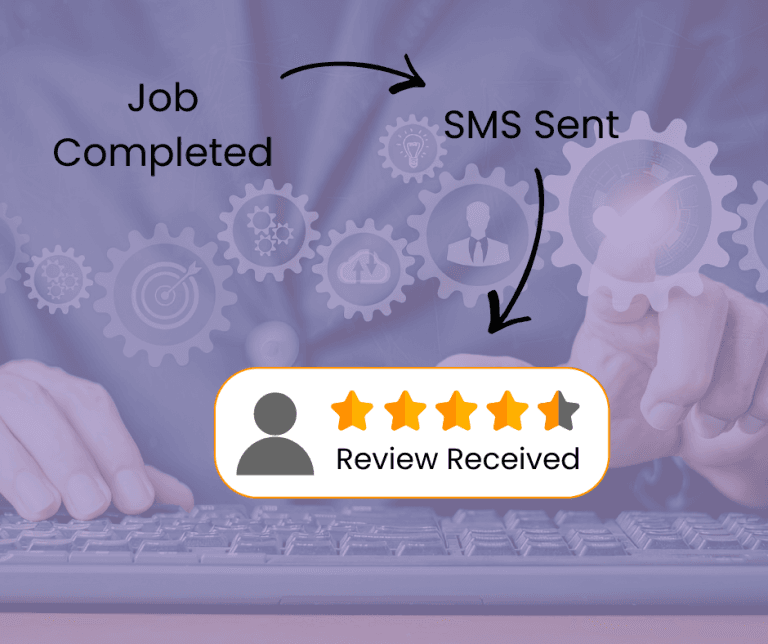
• Job is completed in the system
• CRM triggers an SMS or email
• Customer receives the review request automatically
This type of automated review software is often built into service platforms such as:
• Job management systems
• Booking software
• CRM platforms
Benefits of CRM-Based Automation
CRM systems can provide:
• Consistent timing
• Automatic sending
• Reduced admin workload
However, they often have limitations.
Many CRM systems:
• Send generic messages
• Lack review tracking
• Don’t manage follow-ups well
Some systems also create compliance risks if they filter reviews or request feedback before sending customers to Google.
Google explicitly warns against these “review gating” practices in their review policy guidelines.
4. Dedicated Review Automation Tools
The most sophisticated option is using review automation tools built specifically for reputation management.
These platforms focus on:
• Review request automation
• Review monitoring
• Reputation management dashboards
Examples of what these platforms may offer include:
• Automated SMS review requests
• Follow-up reminders
• Multi-platform review management
• Reporting dashboards
These google review automation tools can be useful for larger businesses managing many locations or high volumes of customers.
However, they also come with trade-offs.
Common Issues With Large Review Platforms
Many platforms are designed for:
• franchises
• agencies
• enterprise businesses
For small businesses they can become:
• overly complex
• expensive
• underused
It is common for businesses to pay for features they never use.
What Most Small Businesses Actually Need
In practice, most businesses don’t need a full reputation management platform.
They need three things:
1️⃣ A simple way to request reviews automatically
2️⃣ A direct Google review link
3️⃣ A process that works every time a job is completed
That’s it.
This is why many businesses end up using a simple review automation system instead of enterprise software.
The Simple Review Automation System
The most effective setup usually includes:
• Automatic SMS review requests
• A direct Google review link
• A clear timing trigger (job completed)
This creates a consistent flow of review requests without relying on memory.
When done properly, it also stays compliant with Google policies.
If you’re not sure how to structure this type of system, the Google Review Toolkit provides a step-by-step breakdown of compliant review request setups.
Mistakes Businesses Make With Review Automation Tools
Even when businesses adopt review automation tools, they often run into avoidable problems.
Mistake 1: Asking Too Late
Timing matters.
Review requests should be sent immediately after service completion, when the experience is fresh.
Mistake 2: Overcomplicated Systems
Many businesses install tools they never fully use.
Complex platforms can lead to:
• abandoned systems
• staff confusion
• inconsistent review requests
Simple systems often outperform complicated ones.
Mistake 3: Breaking Google’s Review Policies
Some systems attempt to filter customers before allowing them to leave a Google review.
This is known as review gating, and it violates Google policy.
Google clearly states businesses should not discourage or selectively request positive reviews.
How to Choose the Right Review Automation Tools
When evaluating review automation tools, focus on the essentials.
Checklist for Small Businesses
A good system should provide:
✔ Automatic review request sending
✔ Direct Google review link
✔ Simple setup
✔ No review gating
✔ Clear compliance with Google policies
If the system requires constant management or complex dashboards, it is likely too complicated for daily use.
A Practical Example
Imagine two electrical businesses.
Business A
• Asks manually
• Sends occasional review links
• Reviews grow slowly
After a year they have 70 reviews.
Business B
• Uses automated review requests
• Every job triggers a review message
• Requests are sent consistently
After a year they have 300+ reviews.
Both businesses may provide excellent service.
The difference is simply consistency.
A Simple DIY Option
For businesses that want a straightforward setup without complex platforms, a lightweight DIY Google review automation tool can often provide everything needed.
You can see an example here: DIY Google Review App for Small Businesses
This approach focuses on simplicity:
• Automated review requests
• Google review link integration
• Minimal setup
Which is exactly what most small businesses need.

FAQ: Review Automation Tools
Are review automation tools allowed by Google?
Yes. Google allows businesses to ask customers for reviews as long as they do not incentivise or filter responses.
What are the best google review automation tools for small businesses?
The best tools are often the simplest ones that automatically send review requests after a job is completed.
Can I automate Google review requests with SMS?
Yes. SMS review requests are one of the most effective methods because they reach customers immediately after the service experience.
Do review automation tools help with Google rankings?
Reviews themselves do not guarantee rankings, but consistent review activity can influence local visibility and customer trust.
Are reputation automation tools expensive?
Some enterprise platforms can be expensive. However, many small businesses only need a basic system that sends automated review requests.
Final Thoughts
Many businesses assume they need complicated software to manage reviews.
In reality, most businesses simply need a consistent review request process.
The right review automation tools should make review requests easy, predictable, and compliant with Google’s policies.
They should reduce admin — not add to it.
If you’re not sure whether your current process is working properly, you can request a free review system check.
Is Your Google Profile Losing Visibility?
If your Google reviews have slowed down or your profile isn’t appearing as often in search, the first step is understanding what’s actually happening.
I offer a one-time personalised audit showing:
• what’s limiting your ranking
• what Google is actually looking at
• what to fix first
Once you know where the gaps are, improving the process becomes much easier.
(Limited to 5 businesses per week)
Related Guides on Review Automation
If you’re learning how to build a reliable review system, these guides will help:
- The Complete Guide to Review Automation for Small Businesses (2025)
- Google Review Automation Software: Best CRMs & Review Tools Compared (Top 10)
- Is Review Automation Worth It for Small Businesses? Costs, ROI & Realistic Expectations
- Review Request Automation: 5 Simple Systems Small Businesses Can Set Up Themselves