Is Review Automation Worth It for Small Businesses? Costs, ROI & Realistic Expectations
Small business owners hear about automation constantly. But when it comes to Google reviews, the real question is simple: is review automation worth it, or is it just another monthly subscription that adds cost without results?
If you rely on word-of-mouth, local search, or Google Maps visibility, reviews directly affect enquiries. The decision isn’t about trends — it’s about whether the return justifies the effort and expense.
Let’s break it down properly.
What Review Automation Actually Means (Without the Hype)
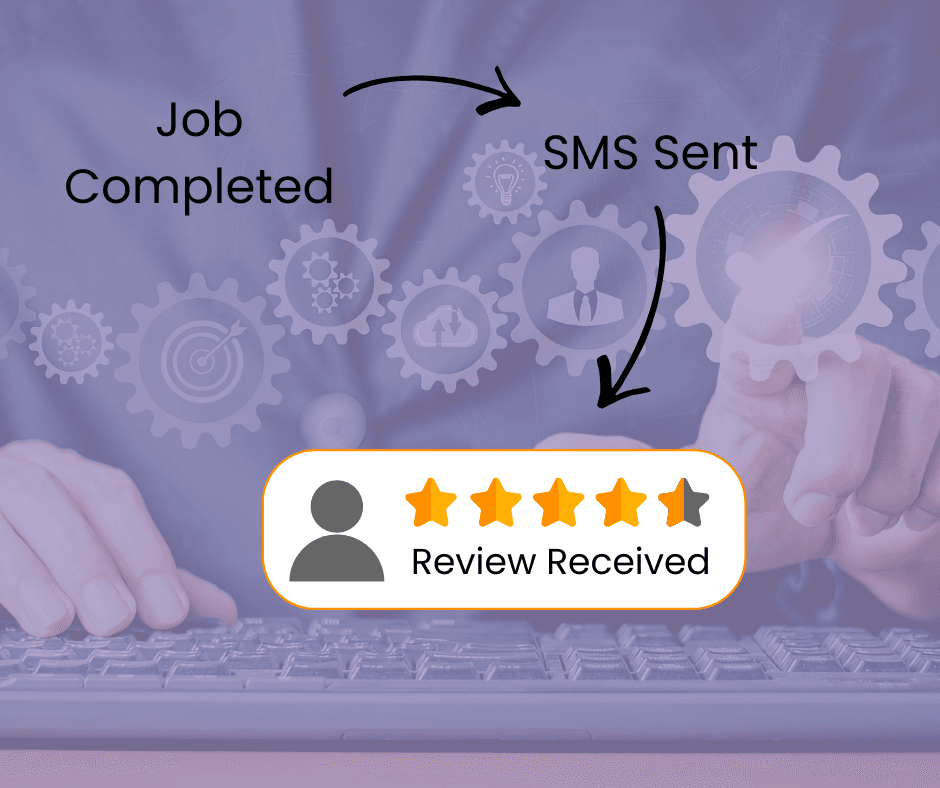
Review automation simply means using a structured system to request Google reviews consistently after a job is completed.
That could include:
- SMS review request tools
- CRM-triggered follow-up messages
- Tablet-based request systems
- Simple DIY apps
- Full-service reputation management platforms
The goal is not to “game” reviews. It’s to remove inconsistency.
Instead of occasionally asking when you remember, automation builds it into your workflow.
So when asking is review automation worth it, the real comparison is:
Manual, inconsistent effort
vs
Structured, repeatable system
Manual vs Automated: A Practical Comparison
Here’s a realistic breakdown for small service-based businesses:
Method or Review Request | Time Cost | Monthly Cost | Consistency | Best For |
|---|---|---|---|---|
Asking verbally only | Low | $0 | Very low | Micro businesses with only a few customers per month |
Email follow-up | Moderate | $0–$20 | Low | Admin-heavy teams |
SMS automation tool | Low | $20–$80 | High | Trades & service with 10+ new customers per month |
CRM-based system | Moderate | $80–$250+ | High | Multi-staff businesses with higher volume clients |
DFY reputation service | Very low | $150+ | Very high | Growth-focused |
Automation reduces friction. The real question becomes: does the lift in reviews justify the cost?
A Simple ROI Example
Let’s run conservative numbers.
Example business:
- 10 new customer jobs per week
- 40 new customer jobs per month
- Manual review rate: 5%
- Automated SMS review rate: 20%
Manual = 2 reviews/month
Automated = 8 reviews/month
That’s 6 extra reviews per month.
If those reviews help move your rating from 4.0 to 4.5 stars, you often see:
- Higher click-through from Google Maps
- Better conversion from enquiries
- Stronger trust signals
If even one extra job per month results from improved visibility, and your average job is $400, then even a $50/month tool has paid for itself.
In that case, yes — review automation is worth it.
When Review Automation Is Not Worth It
To answer honestly whether review automation is worth it, we also need to look at when it doesn’t make sense.
It may not be worth it if:
- You complete fewer than 5 new customer jobs per month
- Your service isn’t influenced by online reviews
- You refuse to ask customers at all (if you dont ask, only really motivated customers leave a review – they are usually the ones who arent happy)
- You expect instant ranking changes
- You have volume reviews already, with low volume of new customers to ask
- You have issues with your service delivery that are not being addressed. Google rules mean you can’t restrict who you ask or provide incentives, so there’s a risk you could get a higher volume of more negative reviews.
Automation amplifies what you already do. It doesn’t replace service quality.
Three Practical Mistakes to Avoid
1. Choosing the Wrong Tool for Your Size
Many small businesses overbuy. Enterprise CRM systems are unnecessary if you just need simple SMS requests.
Start lean.
If you want something structured but simple, our DIY Google Review App is built specifically for small service businesses:

2. Ignoring Compliance
Google prohibits:
- Review gating
- Incentivising only positive reviews
- Filtering unhappy customers
If you are unsure about compliance, consider getting structured guidance first:
https://missklocal.com/google-reviews-setup-advice/
Or review the frameworks inside the Google Review Toolkit.
Automation must be ethical to be sustainable.
3. Automating Without Process
Automation works best when:
- Staff know when to trigger it
- Customers are informed it’s coming
- You follow up naturally
If you haven’t yet mapped your full system, our Complete Guide to Review Automation for Small Businesses covers the broader strategy.
This article supports that pillar — it focuses specifically on cost and ROI considerations.
How Many Reviews Should a Small Business Aim For?
There is no universal number.
However, consistency matters more than volume.
A healthy pattern for local businesses is:
- 5–15 new reviews per month
- Steady flow instead of spikes
- Mixed natural wording
- Genuine customer language
When structured properly, review automation is worth it because it creates that steady flow.
What Does Review Automation Actually Improve?
Review automation typically improves:
- Review velocity (how often reviews come in)
- Average rating stability
- Customer response rates
- Google Maps trust signals
It does not:
- Guarantee rankings
- Fix poor service
- Replace SEO
It supports broader local SEO and reputation management efforts.
Should You Use DIY or Done-For-You?
That depends on your capacity.
DIY makes sense if:
- You’re comfortable implementing systems
- You want low monthly cost
- You’re hands-on
Done-for-you makes sense if:
- You want to remove admin entirely
- You operate multiple staff
- You’re focused on scaling
Our reputation management plans cover full-service done-for-you options.
So, Is Review Automation Worth It?
For most service-based small businesses that complete regular jobs each week, yes — review automation is worth it.
Not because it’s trendy.
Because:
- Reviews directly influence trust
- Trust influences clicks
- Clicks influence enquiries
- Enquiries influence revenue
The cost is usually modest.
The upside compounds over time.
The key is choosing the right level of automation for your size and staying compliant.
Frequently Asked Questions
Does SMS perform better than email for review requests?
In most small service businesses, SMS has significantly higher open rates and faster response times.
Can review automation get my business banned?
Only if you violate Google’s review policies. Ethical, neutral requests are permitted.
How quickly should I see results after automating my review process?
Many businesses see increased review activity within 2–4 weeks once consistency improves.