Review Request Automation: 5 Simple Systems Small Businesses Can Set Up Themselves
If your business relies on word of mouth but Google reviews arrive inconsistently, the issue usually isn’t customer satisfaction — it’s process.
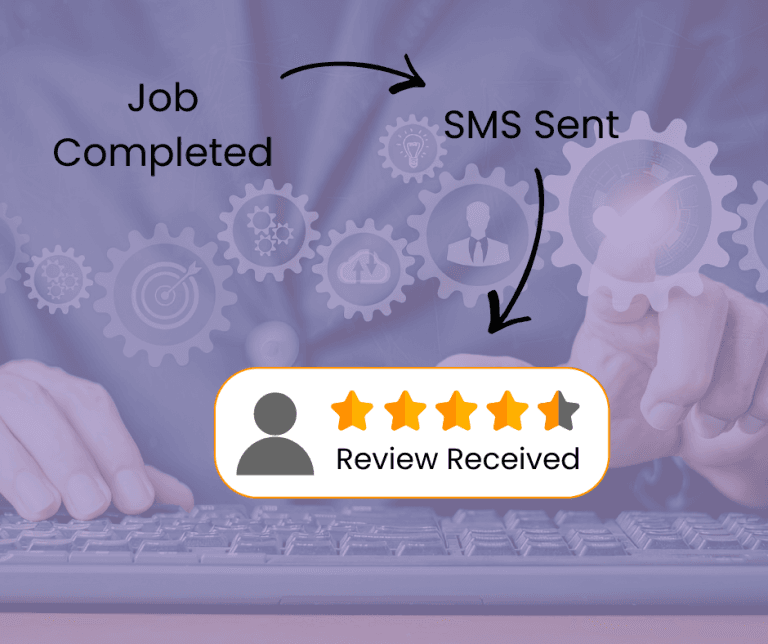
Most small businesses still rely on memory, awkward verbal requests, or one-off emails. That approach doesn’t scale and leads to long gaps between reviews. Review request automation solves this by turning review collection into a repeatable system instead of a manual task.
This guide breaks down five practical review automation systems that Australian small businesses can set up themselves — including the pros, cons, time commitment, and which business types each method suits best.
For a broader overview of how review automation fits into local visibility and rankings, see our complete guide to review automation for small businesses.
What review request automation actually means
Before tools, it’s important to clarify the goal.
Review request automation does not mean:
- Fake reviews
- Incentivised reviews
- Spammy or aggressive follow-ups
It simply means:
- Asking every suitable customer
- Using consistent, neutral wording
- Delivering the request at the right time
- Reducing manual effort
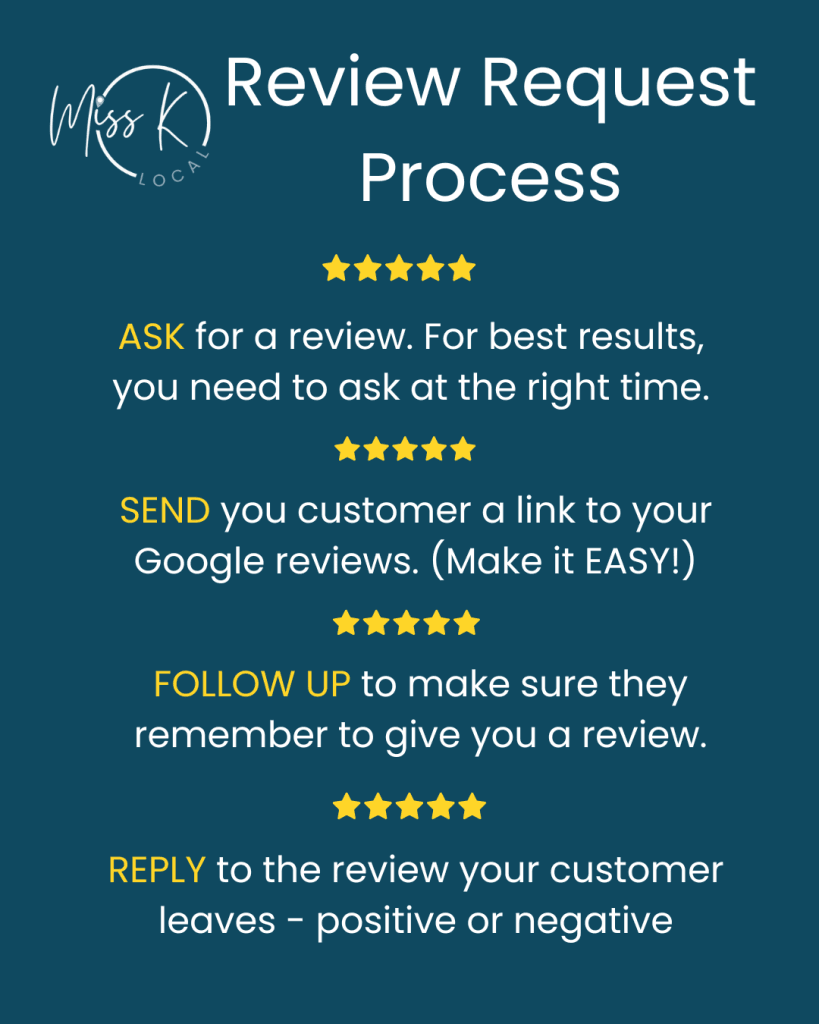
When done correctly, review request automation supports both customer experience and Google’s guidelines.
Google allows businesses to ask customers for reviews as long as requests are genuine, not incentivised, and not filtered or manipulated. You can read Google’s full review policies here:
https://support.google.com/contributionpolicy/answer/7400114
1. Manual text or email templates (semi-automated)
This is the most basic form of automating Google reviews.
How it works:
You use a saved message template and manually send it via SMS or email after a job or purchase.
Best suited for:
- Sole traders
- Low-volume service businesses
- Businesses just starting out
Pros:
- No cost
- Easy to implement
- Full control over messaging
Cons:
- Relies on memory
- Easy to forget
- Inconsistent timing
Time vs cost:
Low cost, high ongoing effort.
Common mistake:
People often change the request wording every time. Consistency matters more than creativity and personalisation.
2. QR codes for in-person review requests
QR codes are often overlooked but still effective in the right context.
How it works:
A QR code links directly to your Google review page and is shared on invoices, signage, or receipts.
Best suited for:
- Retail stores
- Hospitality
- Clinics and walk-in services
Pros:
- Simple setup
- No software required
- Works well at point of service
Cons:
- Passive — relies on customer action
- Less effective after the customer leaves
- No follow-up capability
Time vs cost:
Low cost, low effort, moderate results.
Mistake to avoid:
Placing QR codes where customers are rushed or distracted.
3. DIY Google Review App (Miss K Local system)
This is a structured but lightweight review request automation system designed for small businesses that don’t want enterprise software.

How it works:
Staff or owners save the app to a phone or tablet. After a job is complete, they ask the customer for a review and enter the customer’s details into the app before tapping “send.”
The customer receives an SMS and email containing a direct link to the business’s Google review page. Optional follow-up reminders are sent on days 3 and 7 if no review is left.
This process removes friction and standardises review requests without relying on memory.
Best suited for:
- Service-based businesses
- Trades
- Consultants
- Appointment-based services
Pros:
- Easy to use
- No technical setup required — each app is set up and customised by Miss K Local to align with your brand and customer approach
- Consistent customer experience
- Reduces awkward conversations
- Automates follow-up reminders
Cons:
- Less effective for walk-in retail
- Requires staff or owner to trigger the request
Time vs cost:
Low ongoing effort, modest cost.
You can explore this system here: DIY Google Review App for Small Businesses
4. Email marketing tools with automation rules
Some businesses already use email platforms that can support basic review automation.
How it works:
An email is automatically sent after a purchase or service completion using a trigger or tag. (I personally use the free Mailerlite system to automate my emails combined with triggers from Pabbly Connect)
Best suited for:
- Online bookings
- Membership services
- Businesses with CRM or email systems
Pros:
- Fully automated once set up
- Scales well
- No manual sending
Cons:
- Setup can be confusing
- Emails are easier to ignore than SMS
- Less effective for older demographics
Time vs cost:
Higher setup time, lower long-term effort.
Mistake to avoid:
Sending review requests too soon or without context.
5. Fully managed reputation management services
This option removes the majority of the process from the business owner.
How it works:
The business owner is responsible for asking the customers for reviews. A provider then manages the rest – review request automation, monitoring, responses, customer strategy and reporting.
Best suited for:
- Busy business owners
- Multi-location businesses
- Competitive local markets
Pros:
- Hands-off
- Consistent execution
- Includes monitoring and responses
Cons:
- Ongoing monthly cost
- Less direct control
Time vs cost:
Highest cost, lowest effort.
If you prefer this approach, Miss K Local offers done-for-you reputation management plans designed specifically for small businesses.
Quick comparison: which system should you choose?
Choose manual templates if:
You’re just starting and handling everything yourself.
Choose QR codes if:
Most customers interact with you in person.
Choose the DIY review app if:
You’re service-based and want structure without complexity.
Choose email automation if:
Your bookings and communication already run through email.
Choose managed services if:
Time is more valuable than cost.
Common review automation mistakes to avoid
- Asking only “good” customers
- Changing the process constantly
- Waiting weeks after service
- Over-automating without context
Consistency and timing matter more than tools.
Is review request automation allowed by Google?
Yes, as long as reviews are genuine, not incentivised, and customers aren’t filtered or pressured.
What’s the best time to ask for a review?
Soon after a positive interaction — ideally within 24–48 hours for service businesses.
Do automated systems actually improve rankings?
They improve review consistency, which supports visibility and trust. Rankings still depend on multiple local SEO factors.
When to go beyond DIY systems
If you’ve implemented review request automation but results plateau, the issue is often:
- Competitive density
- Location signals
- Profile optimisation gaps
At that point, the Google Maps Ranking Playbook can help identify what’s holding your visibility back.
Next steps
If you want a low-effort starting point:
- Download the Google Review Toolkit (free preview available)
- Test the DIY Google Review App if you’re service-based
For hands-off support, explore Reputation Management Plans designed for small Australian businesses.
For a complete strategic overview, refer back to The Complete Guide to Review Automation for Small Businesses (2025).